
Your money, clearly tracked.
Vyaya makes tracking expenses, budgets, and receipts effortless — without ever asking for your bank login.

Everything you need to manage money.
A complete, beautifully simple toolkit — built for the way you actually spend.
Track every expense
Log spending in seconds, or let Auto-Capture turn your bank's payment alerts into one-tap entries.

Smart budgets
Set monthly budgets and see exactly where you stand at a glance.

Scan receipts
Point your camera; Vyaya reads the amount, merchant, and date for you.
Multi-currency
INR with lakh/crore formatting, plus USD, EUR, GBP, AED, SGD, AUD, CAD, JPY, THB.

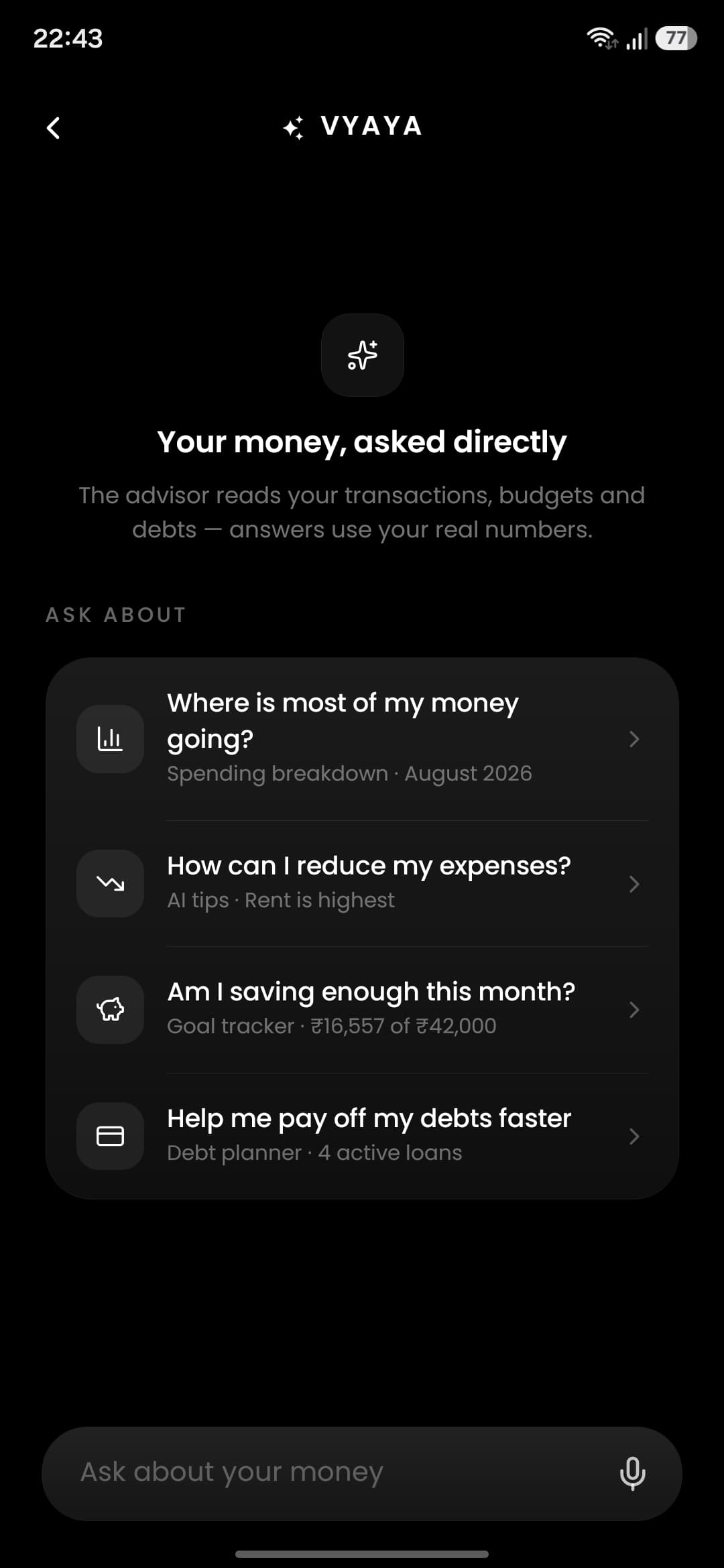
AI money advisor
Personalized, concise insights that help you understand your spending.
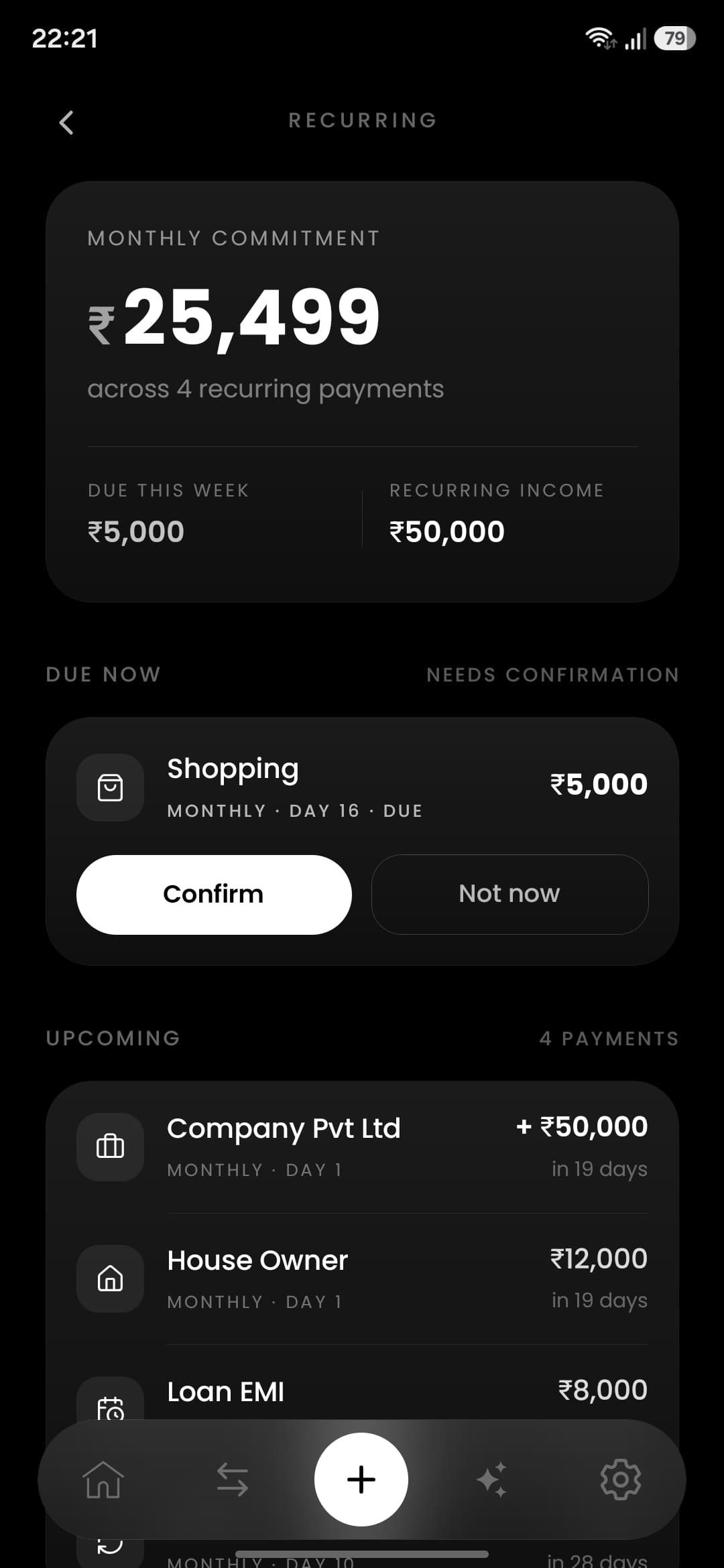
Recurring & debts
Never miss a bill; track what you owe and what's owed to you.
Up and running in three steps.
- 1
Add your accounts
Set up your wallets and cards in a minute — no bank login required.
- 2
Log or scan expenses
Type it in, snap a receipt, or tap to add a payment your bank just alerted you about. Vyaya suggests the category.
- 3
See budgets & insights
Watch your budgets update live and get AI insights on your spending.
A look inside Vyaya.
Stark, focused, and easy on the eyes — the same monochrome clarity, everywhere.
Accounts
Transactions
Budgets

Debts
AI advisor
What people say.
Reviews from Vyaya users on Google Play.
“Really impressed with this expense tracker app! The interface is clean, simple, and very user-friendly. The UI looks great, and everything is easy to navigate without feeling complicated. I especially appreciate that there are no annoying ads, which makes the overall experience much better.”
Omprasad SanjuGoogle Play · September 1, 2026 “Prolly the most user friendly and intuitive budgeting and spending control app. The whole look of the app eases the experience. Go for it”
Lalit Kumar VaddinaGoogle Play · September 5, 2026 “I moved over from another similar app and immediately noticed how much less cluttered this one is. Much easier to use day to day.”
Anuj SrivastavaGoogle Play · August 28, 2026 “This is a better one compared to my previously used apps clean UI with so many features no ads.”
NOOR MOHAMMADGoogle Play · August 27, 2026 “Great app for building money saving habits”
Arpit SahayGoogle Play · August 27, 2026
How Vyaya compares.
The free tiers side by side — what each app reads, shows and costs.
Based on each app's free tier on Android. Apps change — the full comparison has the detail.
Read the full comparison of 8 appsGuides worth your time.
Practical money guides from the Vyaya blog — no jargon, no lectures.
Latest


Popular guides
Built with your privacy in mind.
Your financial data is encrypted and never sold — to anyone. You stay in control: export your data or delete your account at any time, right from the app.
Questions, answered plainly.
The things people actually ask before installing.
Is Vyaya really free?
Yes. Vyaya is free on Google Play with no ads, no subscription and no paywalled features. There is nothing to upgrade to.
Does Vyaya need my bank login or SMS access?
Never. Vyaya asks for no bank credentials, no SMS permission and no account aggregation. You log spending in two taps, scan a receipt, or switch on optional Auto-Capture, which reads your bank's payment notifications on your phone and never sends them to a server.
What is an AI expense tracker?
An AI expense tracker uses machine learning to remove the boring parts of tracking money. In Vyaya, AI reads receipts — amount, merchant and date from a photo — and an advisor chat answers questions about your own spending, like where your money went this month.
Can I track cash spending?
Yes. Cash gets its own wallet, so an ATM withdrawal is recorded as a transfer between your wallets, not an expense — and each cash purchase is logged in a couple of taps. This is where bank-linked apps go blind; manual tracking is why Vyaya stays accurate.
Which currencies does Vyaya support?
INR with Indian lakh and crore formatting, plus USD, EUR, GBP, AED, SGD, AUD, CAD, THB and JPY. The currency symbol and number formatting both follow the currency you select.
Is Vyaya available on iPhone?
Not yet — Vyaya is Android-only today. That is the honest limitation, and it is the only one.
There are other apps called Vyaya. Which one is this?
This is Vyaya by Ramana Chary Dev — package id com.ramanachary.vyaya on Google Play, the privacy-first expense tracker at vyaya.app that never asks for a bank login. Other apps sharing the name are unrelated.
Can Vyaya add my UPI and card payments automatically?
Yes — if you switch on Auto-Capture. When a bank you have added as an account sends a payment alert, Vyaya reads that notification on your phone, fills in the amount, account and merchant, and asks you to tap to add it. Nothing is saved without you, and it needs notification access, not SMS permission. It works with Indian banks and INR, and it cannot see cash.